Enterprise UX · Workflow automation
Trusting the Numbers
Review the numbers before building the deck.
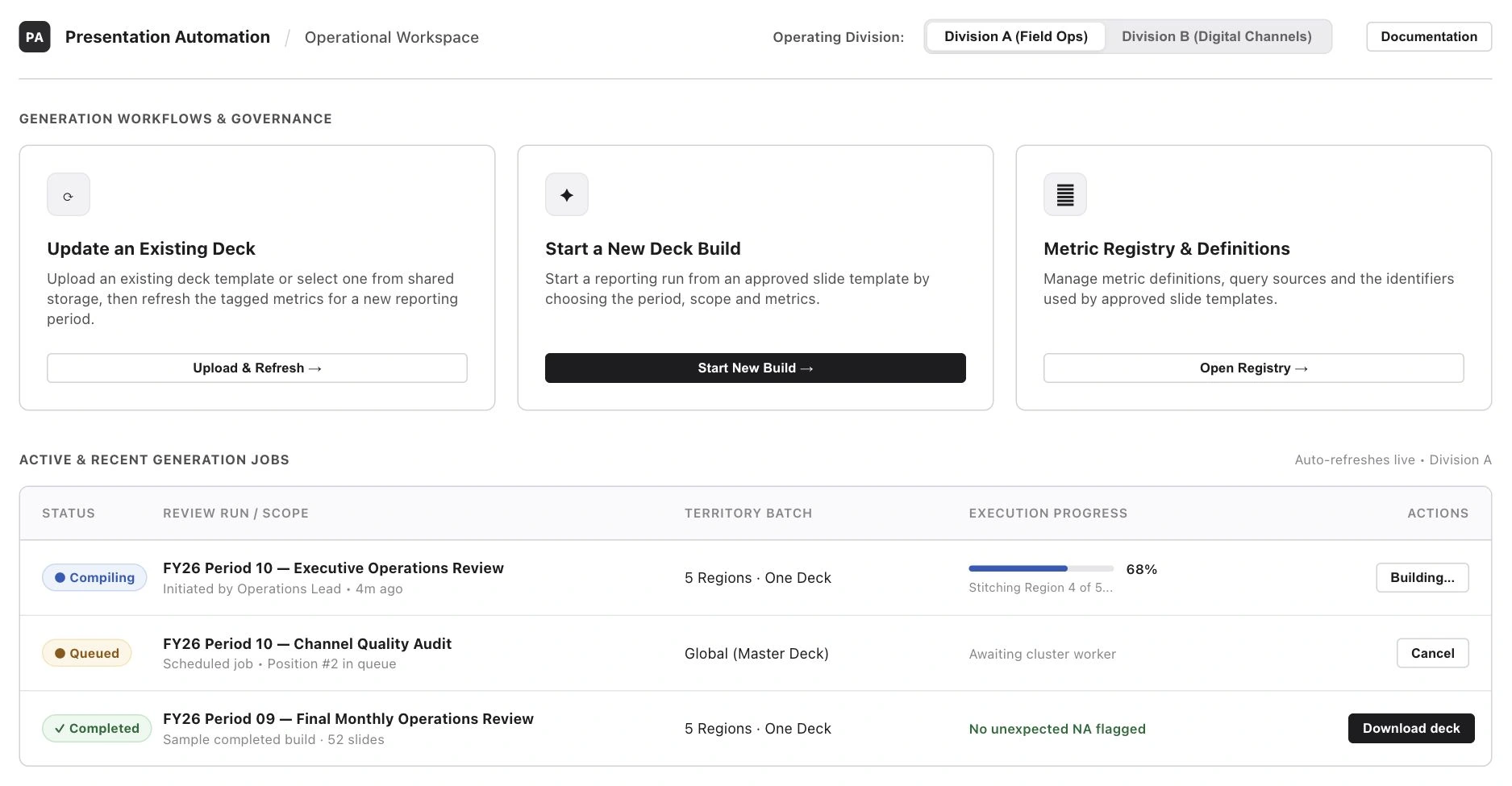
Illustrative reconstruction with fictional data.
I designed a self-service workflow for monthly operations reviews. Deck owners can refresh an approved template, check computed values, and retrieve the finished report.
A deck could look right and still be wrong
Engineering built and owns the reporting pipeline. It refreshed tagged templates from the command line and reported missing values at the end of a run. Deck owners needed an engineer to run it, and they saw gaps only after the deck was built.
Metric owners had a different problem. Their definitions lived in code and configuration. Reusing a metric ID could send a valid number to the wrong row in a leadership deck.
From an engineering handoff to a guided build
Before
Engineer runs the refresh
- Deck owner hands off a tagged template and reporting scope.
- Engineer enters the inputs at the command line.
- Missing values surface in the end-of-run summary.
Proposed workflow
Deck owner reviews and builds
- Choose a template, scope, and metrics.
- Review computed values and acknowledge unexpected gaps.
- Start the build and retrieve the deck from the Launchpad.
Mapping the reporting cycle made the return visit visible. Deck owners came back for earlier reports, so I put build history on the starting screen. Card sorting helped me name the metric groups and give metric management its own entry point.
The pipeline refreshes pre-tagged slide templates using fixed rules. I designed the steps people use to prepare a build and review its values.
Keep finished decks within reach
I compared a wizard, an analyst workbench, and a Launchpad. I chose the Launchpad because deck owners also need to check progress and retrieve earlier reports. It sets the division once and shows recent builds beside the actions for starting one.
Recent builds on the Launchpad
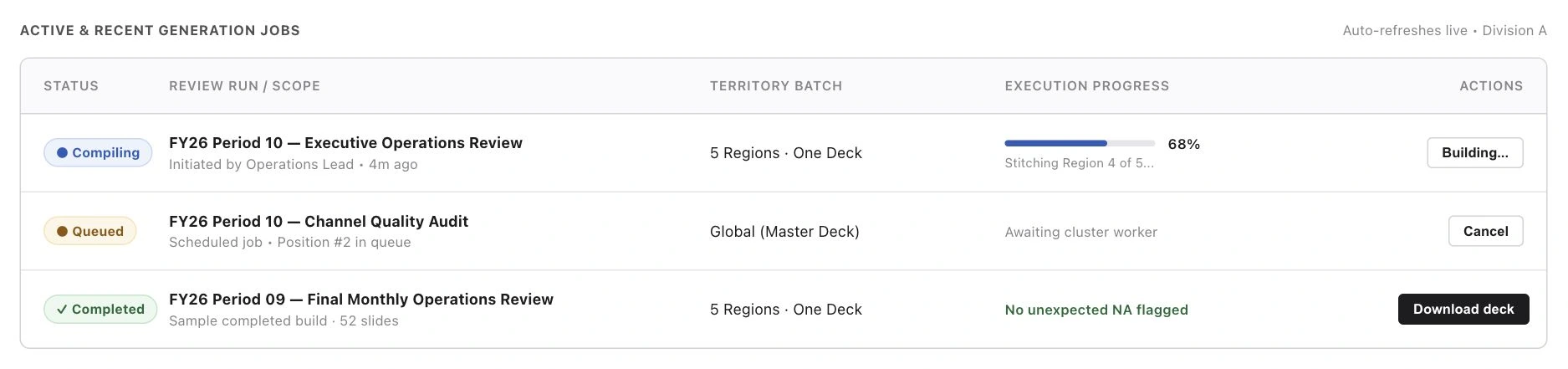
Make partial selections visible
I grouped metrics into independent accordions with three-state checkboxes and selected-to-total counts. A group can show 6 of 8 selected while the two exclusions stay visible. When a deck is updated, the metrics detected in its template are already selected.
Scope and metric selection
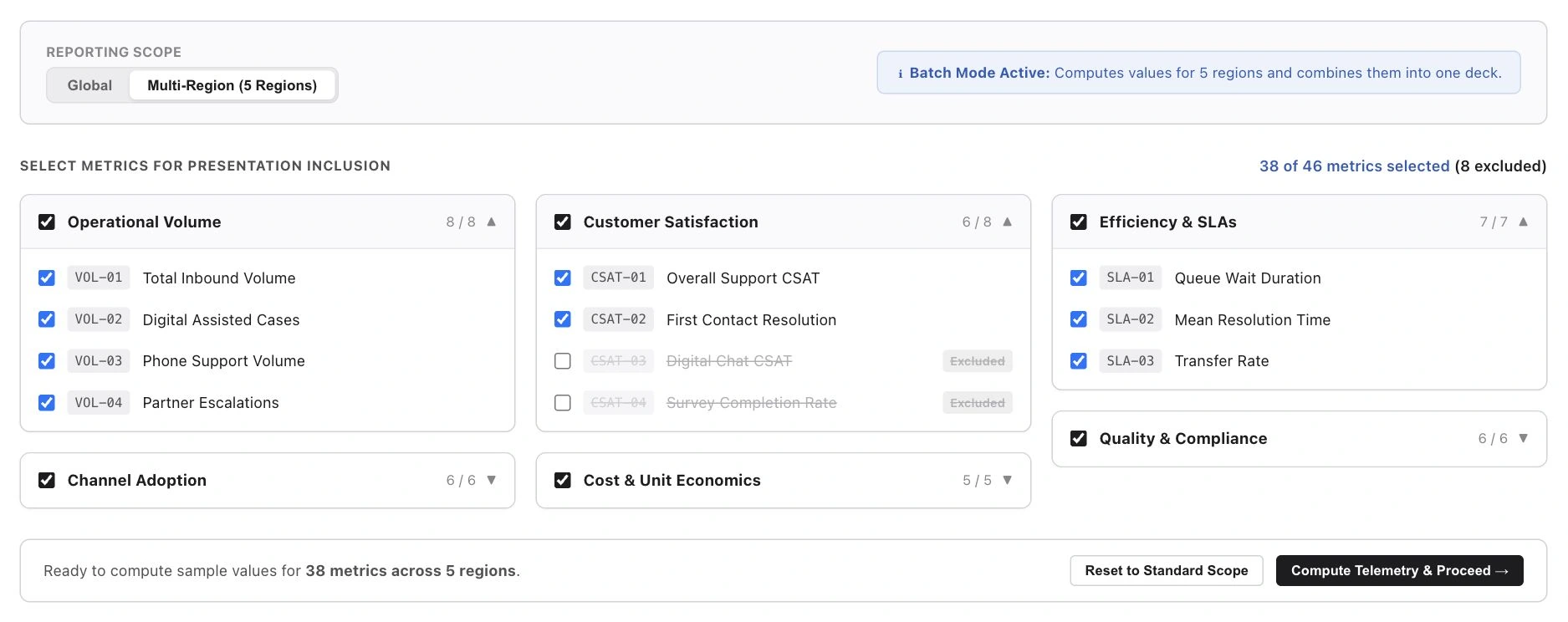
Flag unexpected gaps before build
The pipeline writes missing values as NA. I put a review step between computation and build so deck owners can see those gaps in context. An expected gap can pass through. An unexpected gap needs acknowledgement, and a filter takes the reviewer straight to it.
Interactive example · Fictional data
Review before build
One value needs review
Check the unexpected gap before continuing.
| Metric | Value | Review state |
|---|---|---|
| Total case volume | 148,220 | Computed |
| New channel volume | NA | Expected NA |
| Self-service satisfaction | NA | Unexpected NA |
Reporting review screen
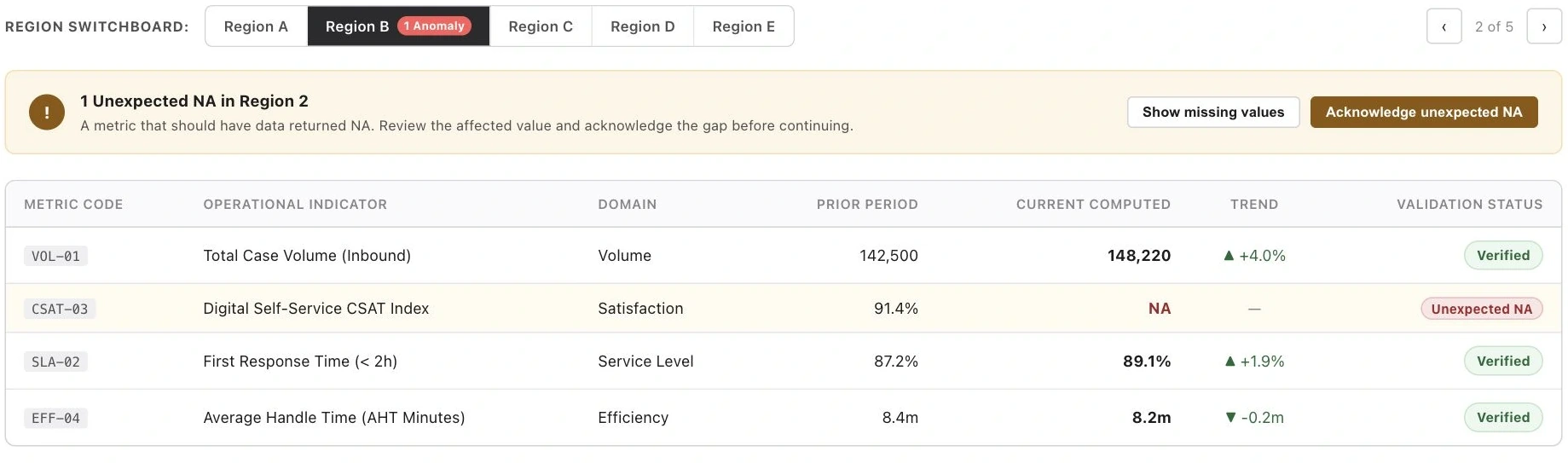
Treat a regional report as one job
I designed one setup, a review by region, and one combined deck. In the interactive wireframe, the region tabs and warning scrolled out of sight. I pinned them above the values table so the scope and the outstanding issue stay visible.
Review each region

Track one combined deck

Protect the IDs that feed the deck
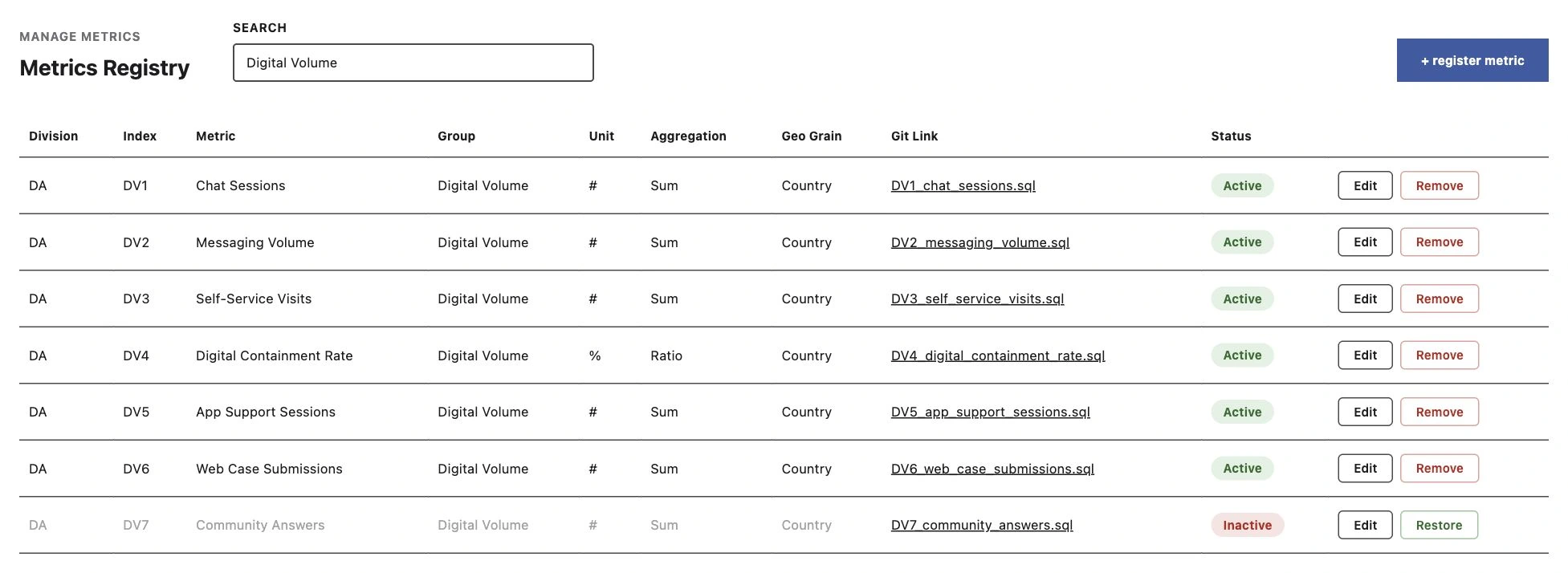
A permanent metric ID tells the pipeline where a value belongs. I designed a registry that prevents duplicates, locks IDs, and keeps retired definitions visible. A dry run gives metric owners a way to check a definition before it feeds a report.
Metrics Registry
Make space for the review table
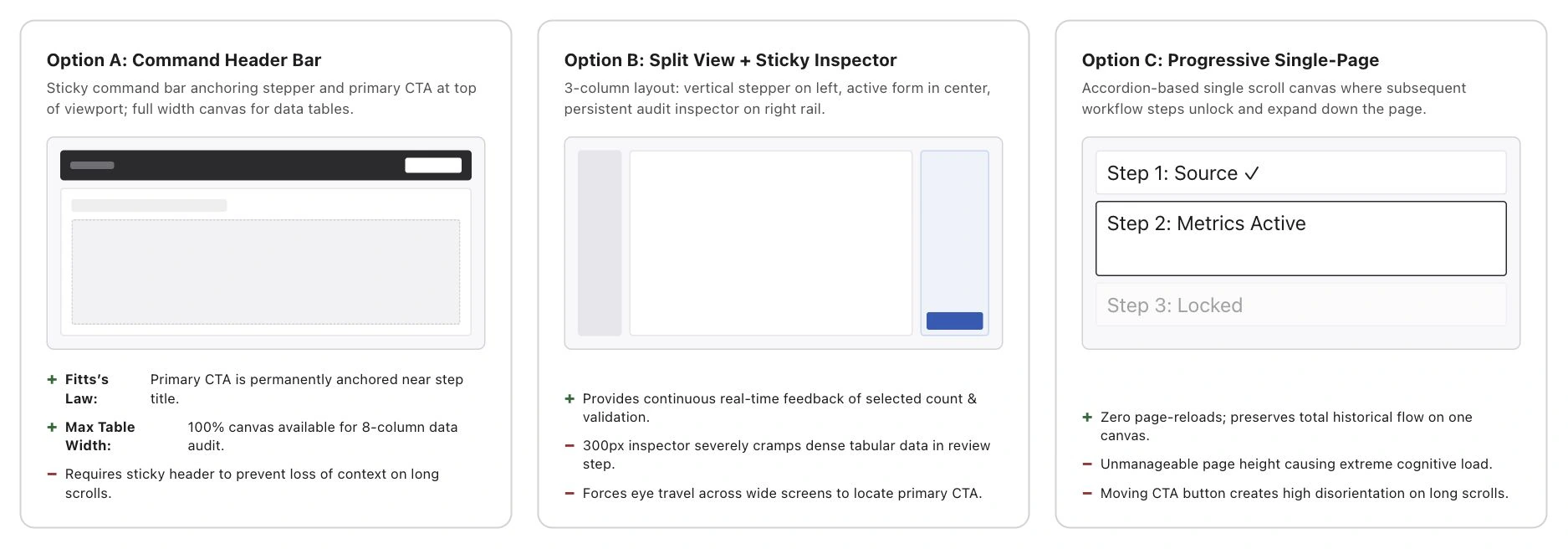
I explored a command header, a split inspector, and a single page. The split inspector kept context nearby but took width away from the table. The later prototype moved the workflow steps into a sidebar and kept the next action in the footer.
Review layout studies
What I delivered
The Launchpad went forward. I delivered an interactive prototype for deck setup, value review, build tracking, and metric management, along with a screen-by-screen review for engineering.
My first test with deck owners would be a complete build, including one unexpected gap. I’d watch whether they can find the affected value and explain what they’re acknowledging.