Product design · AI-assisted build
Pathway
AI drafts the curriculum. The app keeps the plan editable.
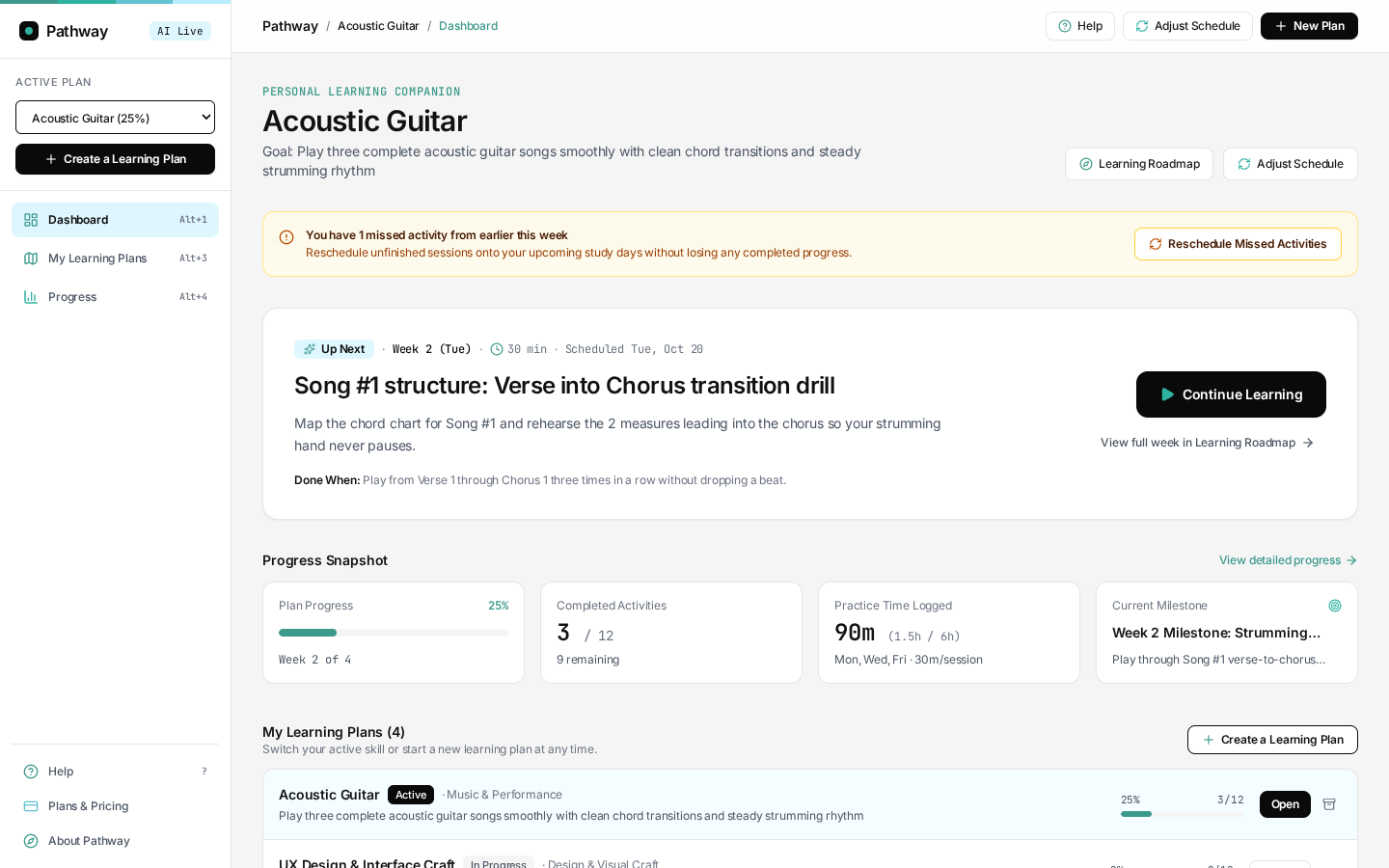
I built a planner that turns a learning goal into a weekly roadmap and a next practice session. I wanted learners to see what would happen when they changed the plan.
Open Pathway in AI Studio (opens in a new tab)Give the model one job
I ask Gemini for a structured curriculum based on the learner’s goal, experience, available time, and preferences. The app assigns dates, calculates progress, and moves future sessions when the learner adjusts their pace. Those rules live in application code, where I can test them.
Replanning keeps completed activities and notes. A learner can move unfinished sessions without losing the work they’ve already done.
- Learner provides
- A goal, starting level, and weekly availability.
- Gemini drafts
- Weekly activities, milestones, and completion criteria.
- The app manages
- Dates, notes, progress, and changes to the schedule.
How the prototype handles missing model access
If generation fails or model access is unavailable, a rule-based demo can still return a plan. The explanation in “Why This Plan?” uses the plan data and preset templates. Plans and notes are stored in the current browser.
Design for the day someone comes back
I designed for someone teaching themselves a skill around work or other commitments. The first plan gives them a direction. When they come back after missing a session, they need to decide what to do with the time they have today.
That shaped the experience from setup to practice. The dashboard brings the next activity forward. The workspace gives the learner room to do it. The replanner explains how the remaining work will move.
Designing for daily practice
Put the next session above progress
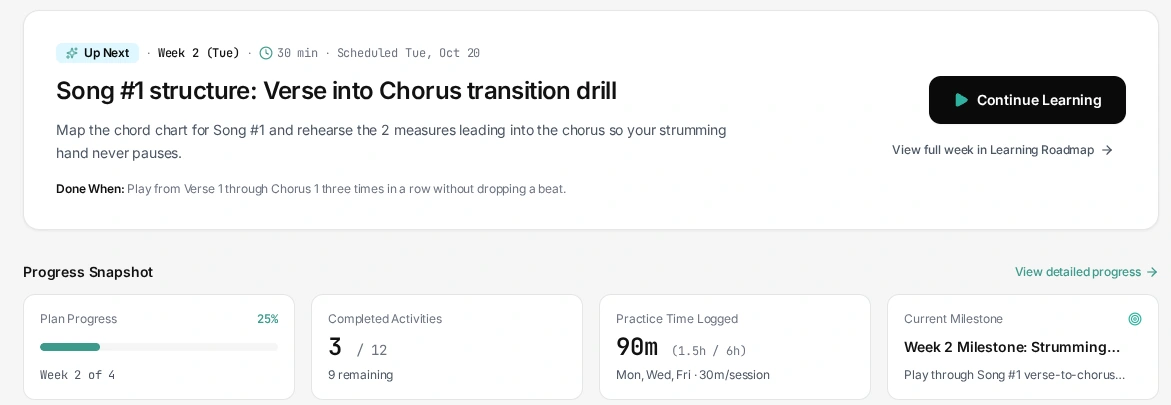
The first dashboard had a start shortcut, but the overview and four metrics sat above the session details. I moved the session to the top and put Continue Learning next to the activity, its duration, and what counts as done.
Progress stays on the same page. When a session is overdue, a recovery notice can still appear above the next activity so learners can deal with the schedule first.
Keep the reading and notes together
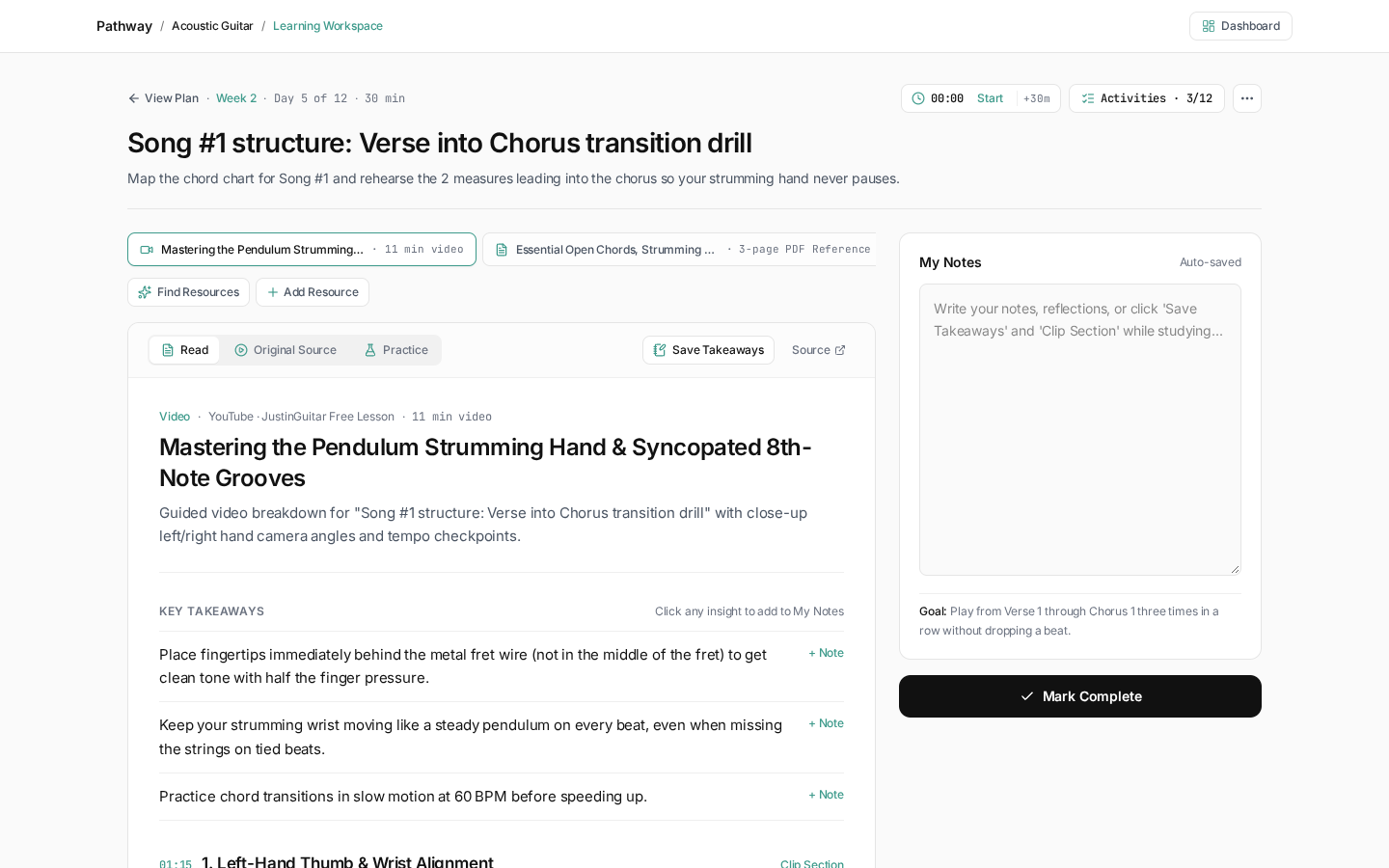
The first workspace showed plan navigation and an activity queue alongside the lesson. I gave the reading pane and notes the main space, kept completion in view, and moved the queue behind Activities.
That puts the current session first. Switching to another activity now takes an extra step, and the reader still depends on resources that are accurate and usable in the app.
Preview the dates before applying a change
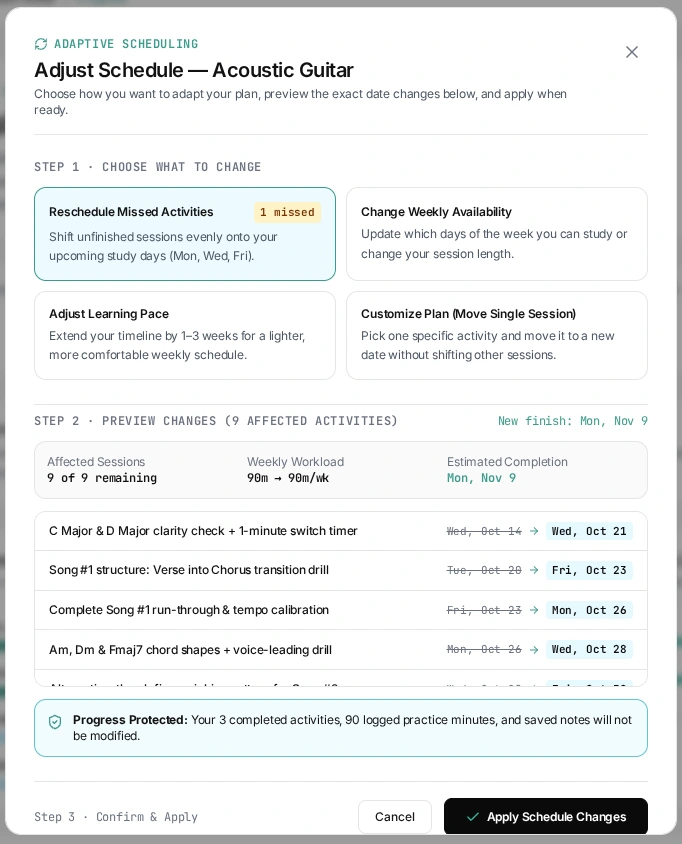
The first replanner offered strategies and already protected completed work. I added a preview so the learner can see which sessions will move, the new finish date, and the workload before confirming.
The extra detail makes the dialog longer. I put the important changes in a short summary above the list of affected sessions.
Give people a draft they can change
I kept the guided setup and added smart defaults for a faster start. Both routes stop at an editable review before the curriculum is generated. Someone can accept a suggested pace and still change their objective or schedule first.
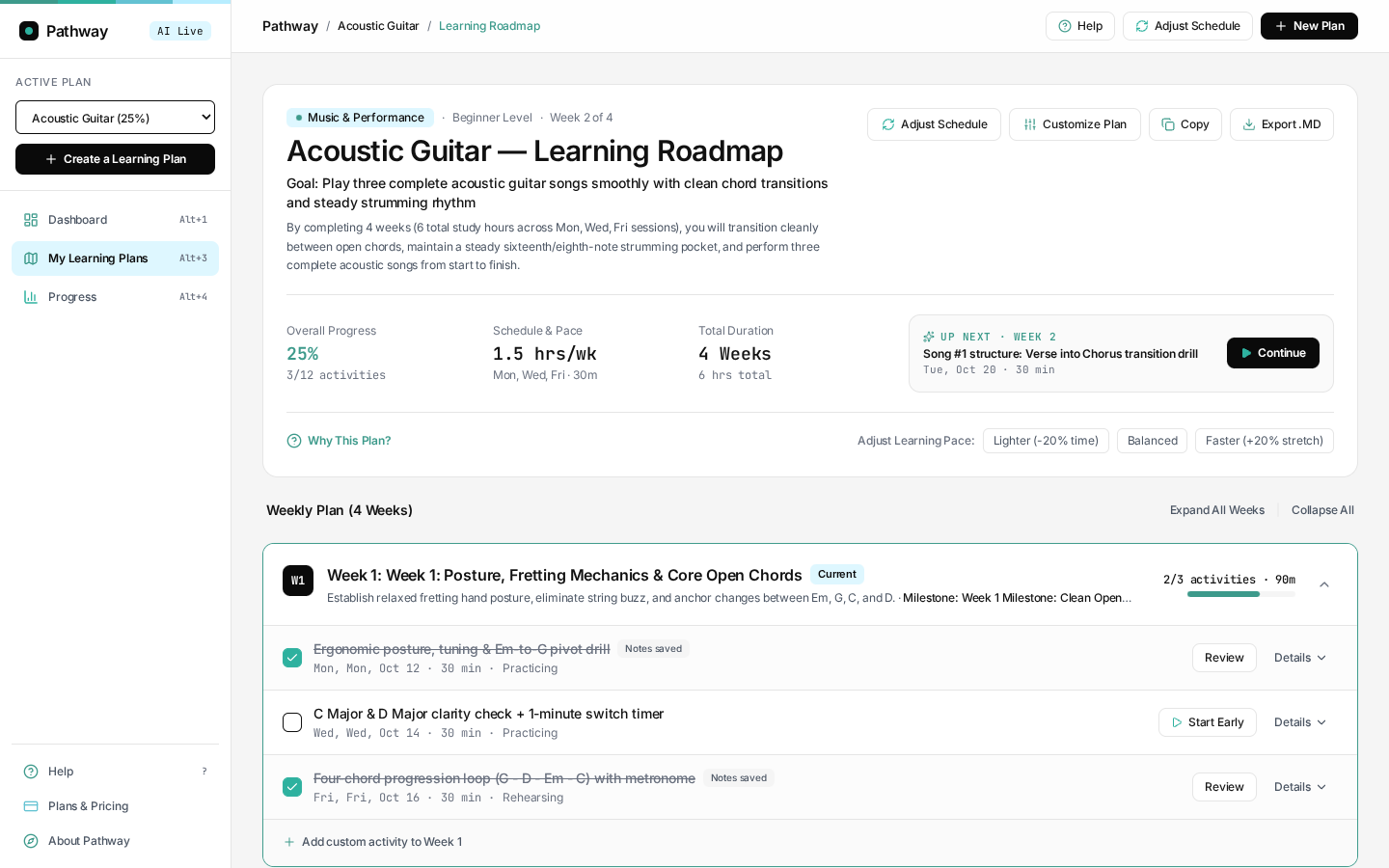
The roadmap opens week by week. Learners can edit activities, change pace, and export the plan to Markdown. Those controls matter because an AI draft has to fit a real week.
Checking progress
I received one usability response, and checking progress was the most confusing task. I’d watch a learner find the progress view and explain the difference between completed activities, practice time, and schedule adherence before deciding what to change.
What I would test next
I’d ask learners to return after a missed session and predict what the replanner will move before they apply it. I’d also test whether they understand the next activity well enough to get started without opening the full roadmap.
Resource quality is a separate question. The reading pane puts material in reach, and I’d check the accuracy and attribution of those sources before relying on it in a broader release.